
Built-in editing: image and vector without leaving the RIP
A file almost never arrives ready to print. Sapiens CoreFlow RIP has three editors inside the program itself —Editor Pro, Sapiens PhotoPro and Sapiens VectorPro— so you can fix it on the spot and keep producing, without switching programs and without losing the job's channels.
Why inside the RIP
In production, the last-minute fix is what eats the most time: a badly removed background, a colour that is not the brand's, a pixelated logo that needs clean lines, a line of text that has to change. If that means exporting, opening another program, saving under another name and importing again, the order stops and duplicate versions of the same file appear.
With Editor tools the job leaves the sheet, gets fixed and comes back, with no loose steps. You carry on exactly where the design team left off.
Three editors, one program
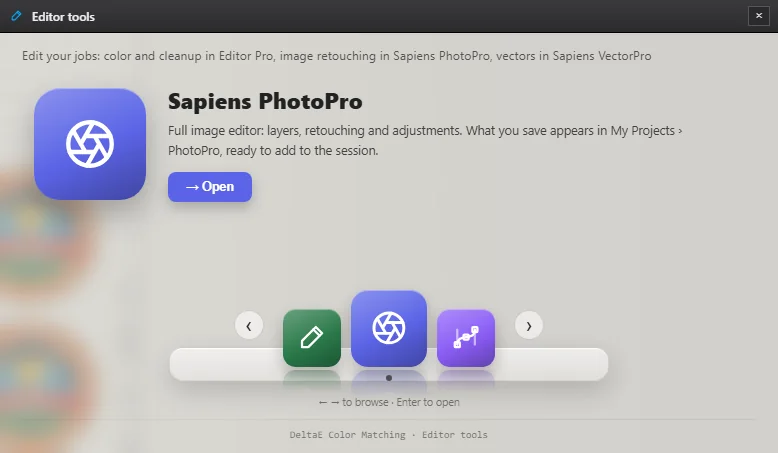
All three open from Editor tools, in Sapiens' module bar, just like colour management or the cutting manager. They are not installed or bought separately: they come in the Sapiens CoreFlow RIP installer and under the same perpetual licence.
Each one covers part of the job:
- Editor Pro — getting ready to print: stray-pixel cleanup, colour replacement and spot colours, adjustments, halftones and simulated embroidery.
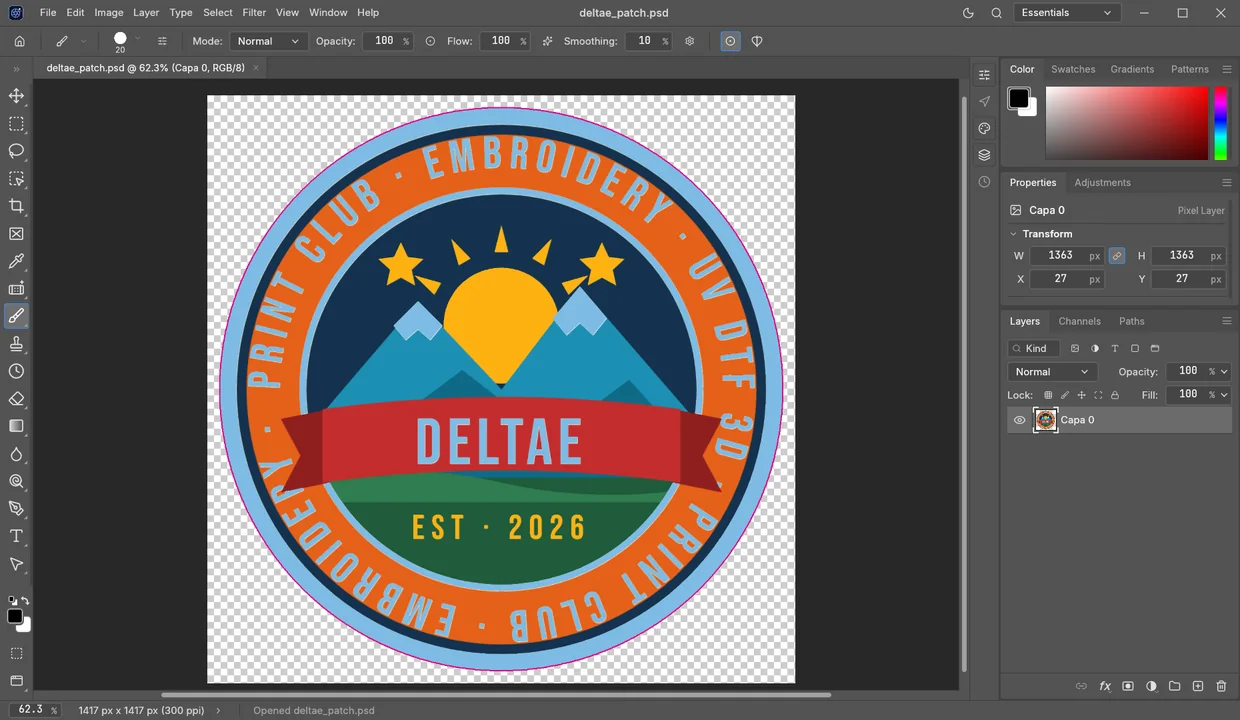
- Sapiens PhotoPro — image retouching: layers, masks, adjustment layers, brushes, selection and editable type, with real PSD files.
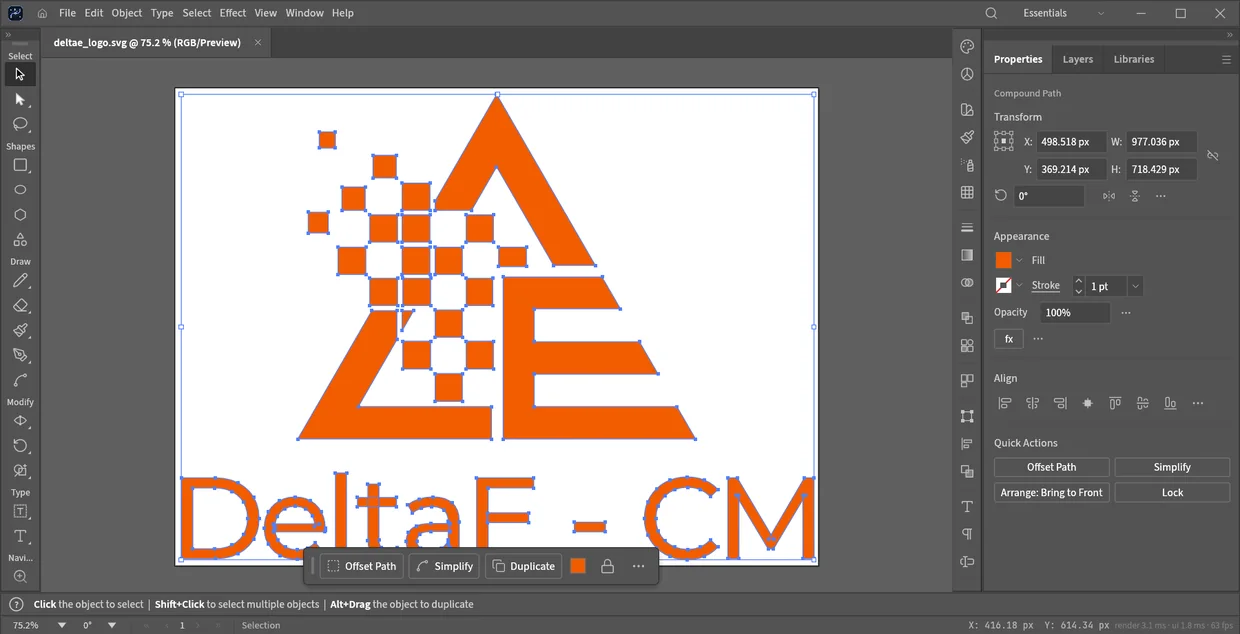
- Sapiens VectorPro — vector: paths with nodes and Bézier curves, shape operations, type and layers, for logos and clean lines.
Right-click: open in…
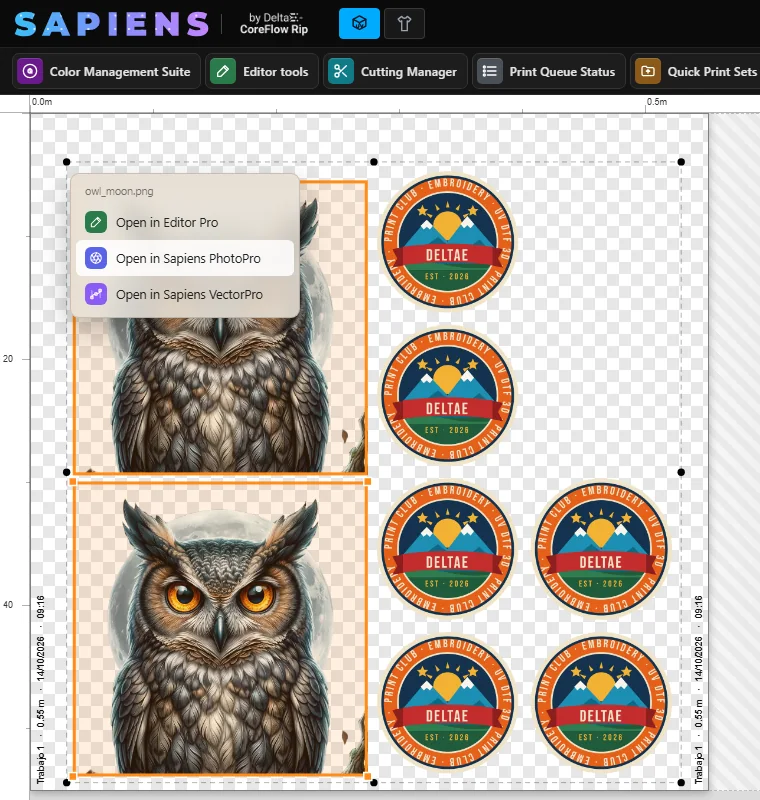
On any image on the canvas or on the job card, right-click offers Open in Editor Pro, Open in Sapiens PhotoPro and Open in Sapiens VectorPro. The editor receives a copy of the job: the sheet does not change until you decide.
Whatever you save in PhotoPro or VectorPro lands in My Projects › PhotoPro or › VectorPro, inside the folder of the mode you are working in (DTF or UV DTF 3D). Sapiens shows it with its thumbnail and you add it to the session in one click, without hunting for it on disk.
The editors start in the language you have chosen in Sapiens: English, Spanish or Portuguese.
Sapiens PhotoPro: the spots travel with the image
If the job has spots made in Sapiens —white, varnish or cut line— PhotoPro receives it as a PSD with each spot in its own channel, visible and editable. You retouch the image and the spots together, save, and back in Sapiens each channel is recognised with its role.
That is the difference between fixing a file and redoing it: neither the resolution nor the channel work already done is lost.
- Layers, masks and adjustment layers (per-channel curves, levels and more).
- Brushes, selection and editable type.
- Layered PSD: open, edit and save.
Sapiens VectorPro: clean lines
For whatever has to be vector: logos, text, shapes and contours. VectorPro opens SVG, PDF, PDF-compatible AI and EPS, and edits node by node.
If what you open is a bitmap, Sapiens hands VectorPro a vectorised version of the job, so you start from paths rather than pixels. What you save comes back to Sapiens with its preview and is imported as vector.
Frequently asked questions
Are PhotoPro and VectorPro separate programs?
They are not bought or installed separately. Sapiens PhotoPro and Sapiens VectorPro come inside the Sapiens CoreFlow RIP installer, under the same licence, and open from Editor tools or by right-clicking an image on the sheet. They work in their own full-screen window and save to My Projects so that the edit comes back to the RIP.
Do they cost extra?
No. Editor Pro, Sapiens PhotoPro and Sapiens VectorPro are included in the Sapiens CoreFlow RIP perpetual licence, paid once. There is no subscription and no paid add-on for editing.
Do they replace my team's design software?
That is not the aim. The design team can keep its own tools: Sapiens CoreFlow RIP opens PSD, PDF, AI, EPS and SVG as they arrive. Editor tools is for carrying on where design left off and solving on the spot what comes up in production: a retouch, a colour, a line of text, a spot or a cut line.
Are the white, varnish and cut spots kept?
Yes. When you open a job in Sapiens PhotoPro, Sapiens CoreFlow RIP sends it as a PSD with each spot in its own channel, visible and editable. When you save it and go back to the RIP, each channel is recognised with its role: white, varnish or cut.
Do they work in DTF and in UV DTF 3D?
Yes, in both Sapiens CoreFlow RIP modes. Each mode has its own folders in My Projects, so what you edit for UV DTF 3D does not get mixed with textile DTF.
What language are they in?
The same as Sapiens CoreFlow RIP: opened from the RIP, they start in English, Spanish or Portuguese, depending on the language chosen in the program.