
DTF halftones for dark garments
DTF cannot print “half a white”: either there is a layer or there is not. That is why a soft shadow or a fade to transparent comes out as a patch on a black t-shirt. Halftones turn it into dots, and the garment does the rest.
The problem: transparency in DTF
On screen, a 30 % shadow blends into the background. In DTF that area still gets its layer of white and adhesive, so it prints as a greyish patch with a hard edge, the hand turns plasticky and the design loses its appeal.
The classic screen-printing answer works here too: replace transparency with dots of varying size. Where the tone is light, small spaced dots; where it is strong, large ones. Between the dots you see the garment, which is exactly the effect the design was after.
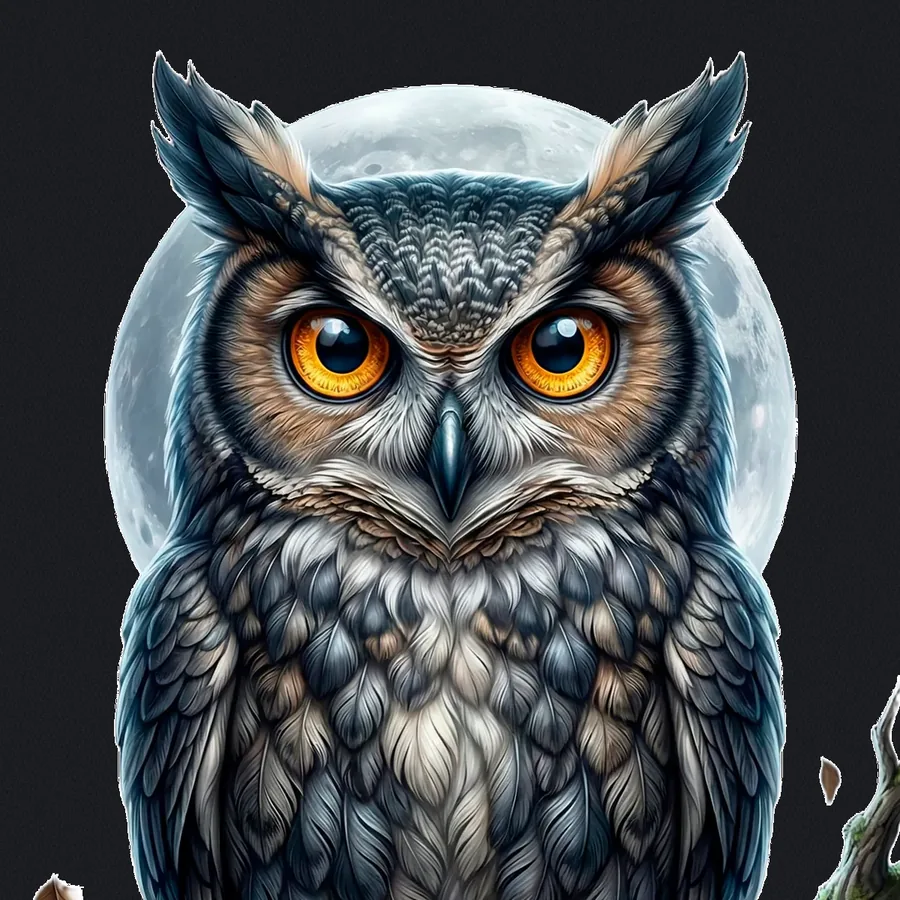
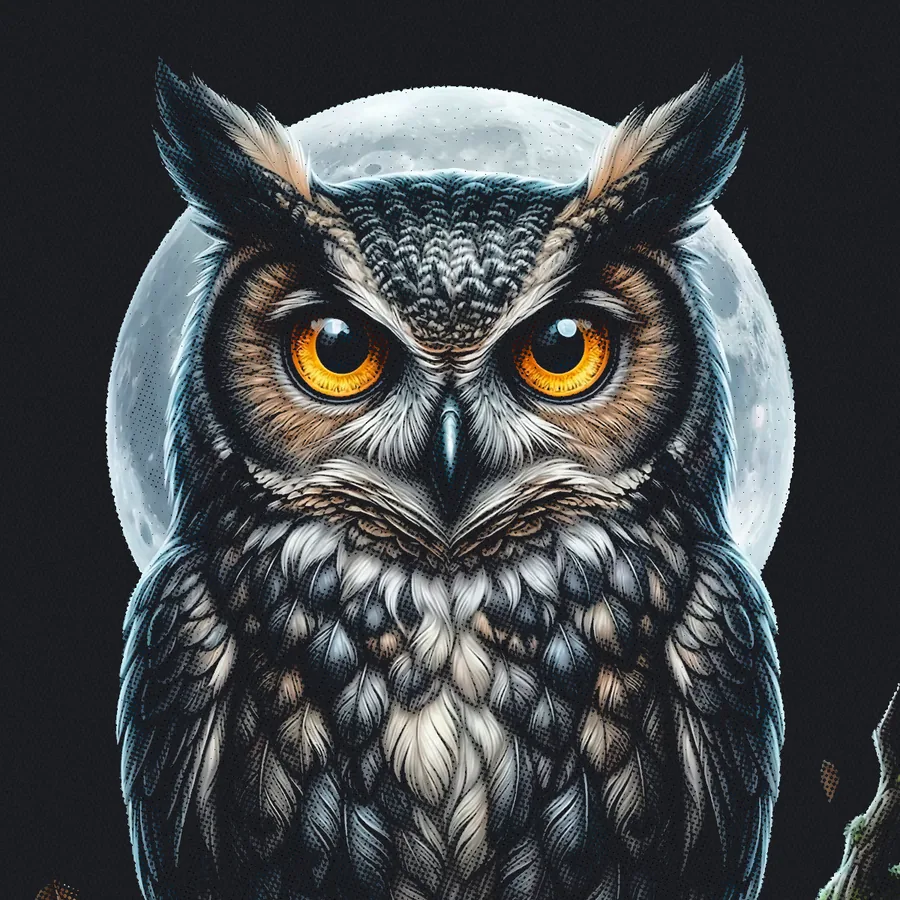
Before and after halftoning
The original owl, in full colour. Printed as is, it has white under everything and the dark tones come out as a grey layer on the t-shirt; with halftones the darks become dots, the t-shirt itself provides the black and the transfer feels lighter.
How it is done in Sapiens CoreFlow RIP
In Editor Pro, Effects → Halftones. With “Enable” ticked, the preview updates as you move any setting and it only affects the selected image, not the rest of the sheet. The effect works at real print resolution, with the exact coverage of each dot, so what you see is what prints.
- Darks mode — for dark colours with transparency on dark garments: the semi-transparent areas become a screen.
- Inverted · white mode — screens the white the other way round, for light designs that should melt into the garment.
- Line screen (LPI) and angle — from a fine, nearly invisible screen to a bold dot as a graphic device.
- Affected tones — which tonal range is screened and which stays solid.
- Dot shape — to tune the character of the screen.
Beyond looks: hand and breathability
A screened area carries less ink and less adhesive than a solid layer. On large prints or thin fabrics you feel it: the transfer is lighter, breathes better and bends with the cloth. That is a practical reason to use halftones even when the design does not ask for them.
Frequently asked questions
How do I print shadows and gradients in DTF on a black t-shirt?
By screening them with halftones: transparency becomes dots and the garment shows between them. In Sapiens CoreFlow RIP this is Editor Pro → Effects → Halftones, Darks mode, with a live preview at real print resolution.
What line screen should I use for DTF?
It depends on the effect: a high line screen gives a fine pattern that reads as a gradient, a low one leaves the dot visible as a graphic device. In Sapiens CoreFlow RIP you set line screen (LPI), angle and dot shape while watching the result on screen before printing.
What is an inverted halftone for the white?
It screens the white the other way round, for light designs on dark garments: the white loses coverage where the tone should blend into the fabric. Sapiens CoreFlow RIP offers it as the “Inverted · white” mode in Effects → Halftones.
Does it apply to the whole sheet?
No. In Sapiens CoreFlow RIP the effect is enabled per image: the “Enable” box only applies to the selected image, so one sheet can mix screened and solid designs.