
RIP software for Mimaki printers
Sapiens CoreFlow RIP already prints on Mimaki. The driver is in the integration phase and we open it project by project to shops, distributors and manufacturers who want to validate it on their machine.
What changes on a Mimaki and what does not
A RIP does two very different jobs. The first is preparing the image: colour management, channel separation, white and varnish, sheet layout, screening and cut line. In Sapiens CoreFlow RIP all of that is machine-independent and is the same engine already in production.
The second is writing the file in the language each brand's electronics understand. Only that last part is specific to Mimaki, and it is the part in integration. That is why it can already print: what is being integrated is the delivery, not the colour.
- The same on any machine: ΔE < 2.0 colour, channel separation, automatic white, gang sheet, UV DTF 3D and cut contour.
- Specific to Mimaki: the native file, the channel order and the machine profile.
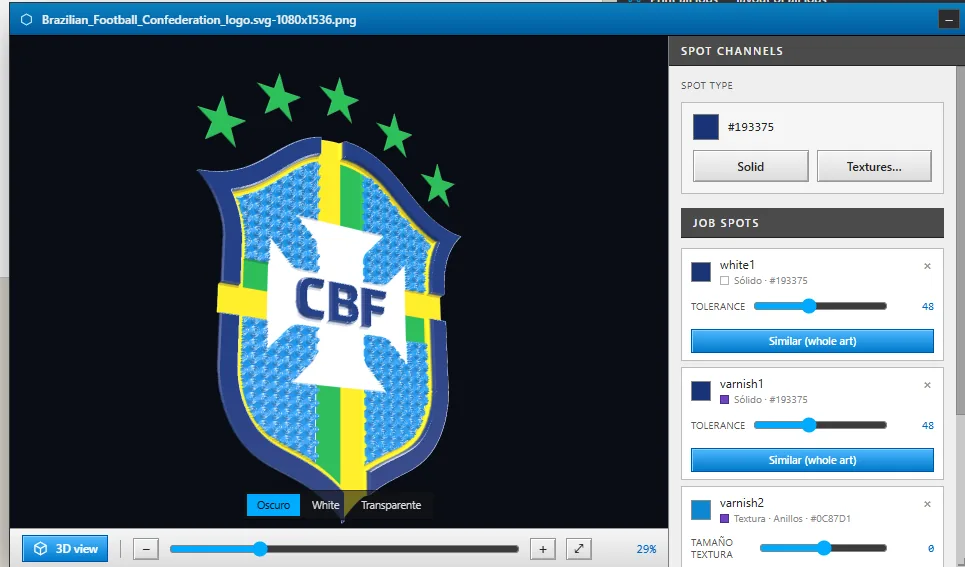
UV and print & cut, where it adds most
Mimaki is very present in UV printing and print-and-cut shops. That is exactly where Sapiens CoreFlow RIP adds the most: relief by area, textures and embroidery effect in UV DTF 3D, with a three-dimensional preview before you spend varnish.
And the cut contour comes from the same layout that gets printed, with bleed and registration marks, so the printed piece and the cut line do not drift apart from being prepared in different programs.
Mimaki integration status
| Printing | Already printing |
|---|---|
| Driver | In integration · not yet included as standard in the installer |
| Access | Project by project, on request |
| What we need | Model, a file your machine already prints well and a photo of that print |
| System | Windows 10 and 11 (64-bit) · macOS in development |
Do you distribute Mimaki? We build the driver to order
If you sell Mimaki machines and your customers need a RIP, we develop a custom driver for the models you distribute: we start from real files the machine already prints well, validate it with you on the printer, and your customers get it ready in the installer.
Tell us which models you sell and in which market on the integration page for distributors and manufacturers.
Frequently asked questions
Does Sapiens CoreFlow RIP work with Mimaki?
Sapiens CoreFlow RIP already prints on Mimaki, but the driver is in the integration phase and is not yet included as standard in the installer. We open it project by project to anyone who wants to validate it on their machine: write to us with the model.
Does colour come out the same as with BYHX or HOSON?
The colour engine is the same: Sapiens CoreFlow RIP prepares the image the same way for any machine and only changes how it writes the final file. What changes from one machine to another is its profile, which is tuned during validation with test charts.
Can I do UV DTF 3D on a Mimaki?
If the machine prints white and varnish, Sapiens CoreFlow RIP prepares the relief, textures and embroidery effect just as on any other. How much height you get depends on the varnish and the layers each model accepts, and that is checked during validation.
How do I get started?
Send us your Mimaki model, a file that already prints well with its software and a photo of that print. Sapiens CoreFlow RIP is integrated from real machine files, so with that we know where to begin.